Earn screen time by walking.
Choose the apps you want to spend less time on. Walk to earn minutes, at a rate you set.
Free on Android and iPhone.Try the steps-to-time calculator
How it works
Walk first. Scroll later.
Choose your apps
Pick the apps you want to spend less time on. Leave everything else outside Stroll's limits.
Set your earn rate
Choose how many steps earn one minute. Start with a rate that fits your day.
Walk to earn minutes
Use your earned time on your chosen apps. When it runs out, walk to earn more.
Give it a try
What could your next walk earn?
Move the sliders. Find a balance that works for you.
Screen time earned
3,000 steps ÷ 200 steps per minute = 15 min
This is an example. You can change your earn rate in Stroll anytime.
Global Leaderboard
Walk together. See where you stand.
A little friendly competition can make the next walk more interesting. Compare your steps with walkers around the world or in your country.
Daily, weekly and monthly rank
See where your steps land across three timeframes.
Global or country rankings
Switch between walkers around the world or in your country.
Share and invite
Share your rank and invite friends to walk with you.
Why Stroll
Your phone. Your pace.
Give your steps a purpose
The walking you already do earns time for the apps you enjoy.
Find a balance that fits
Choose your apps and adjust how many steps earn a minute.
Make the next walk more social
Join the optional leaderboard, share your rank and invite friends along.
Features
A look inside the app.
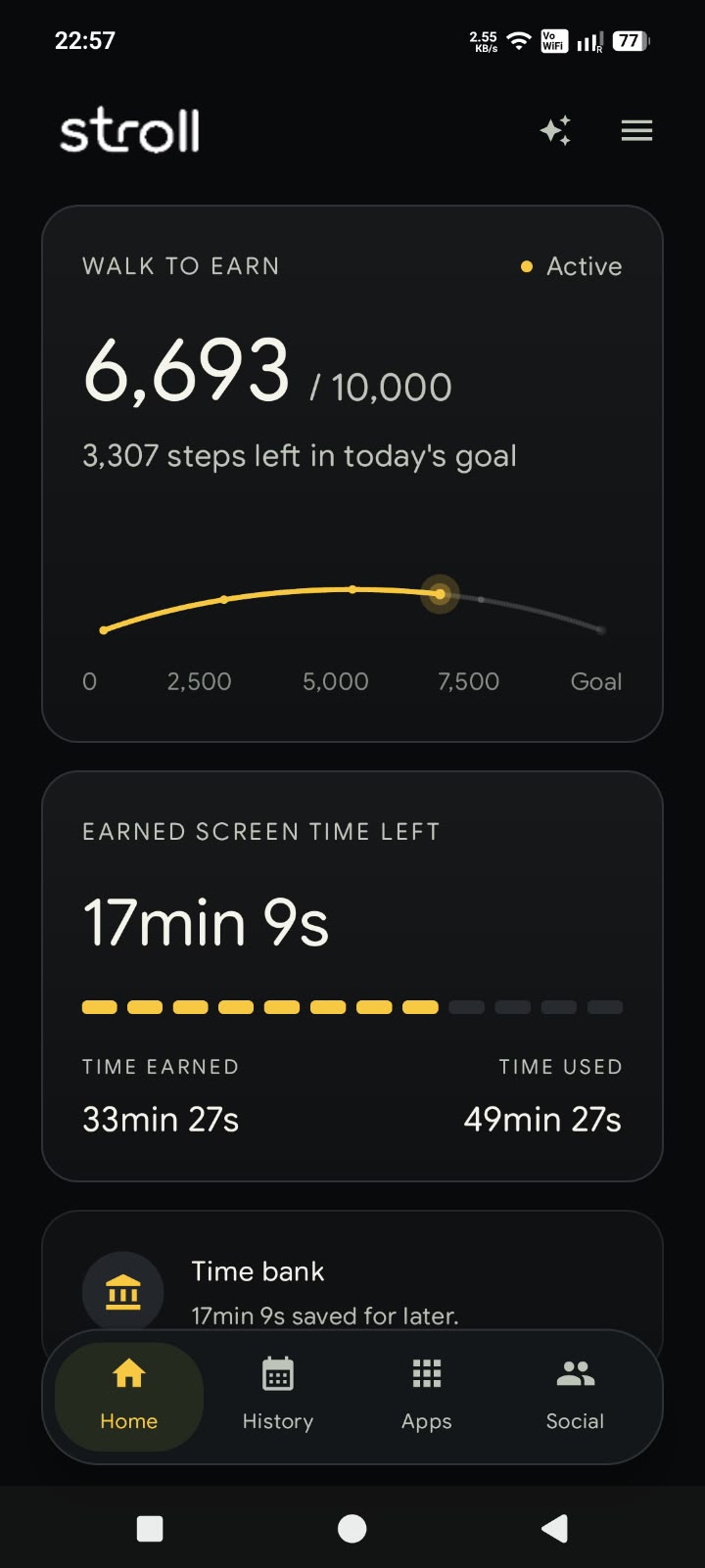
Home
Your steps and minutes, in one place.
See what you've earned, used and have left today.
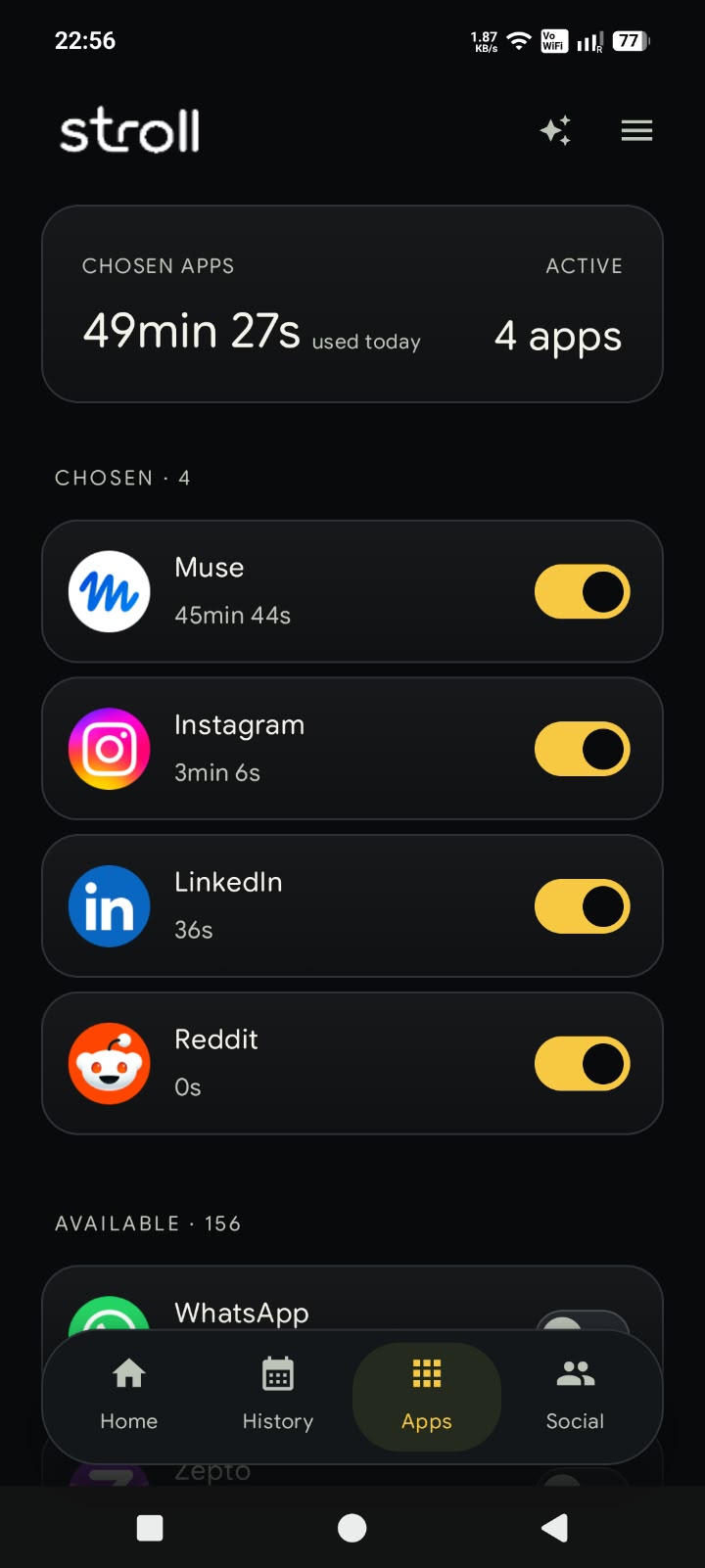
Your apps
You choose what to limit.
Pick the apps that should use your earned minutes.
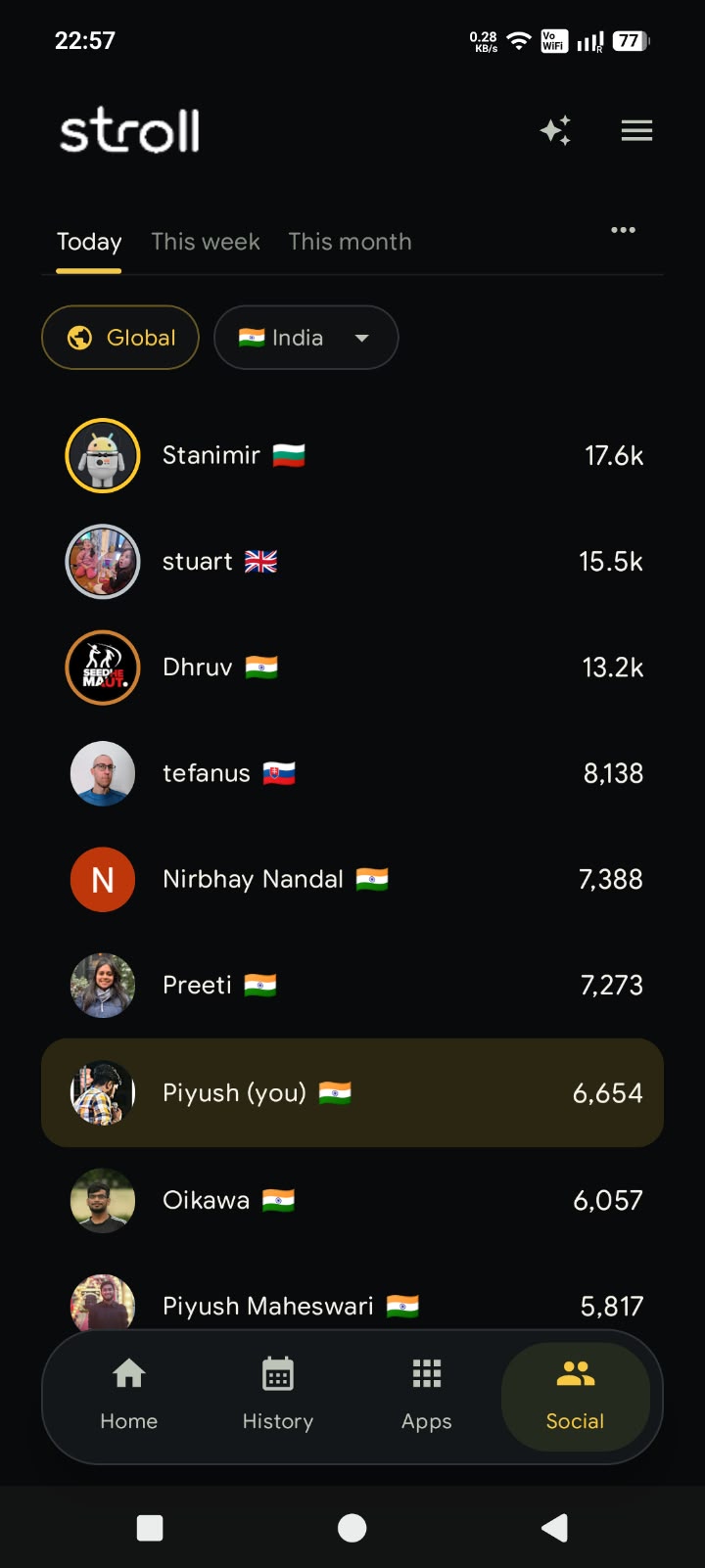
Leaderboard
See how your steps stack up.
Check your daily, weekly and monthly rank worldwide or in your country.
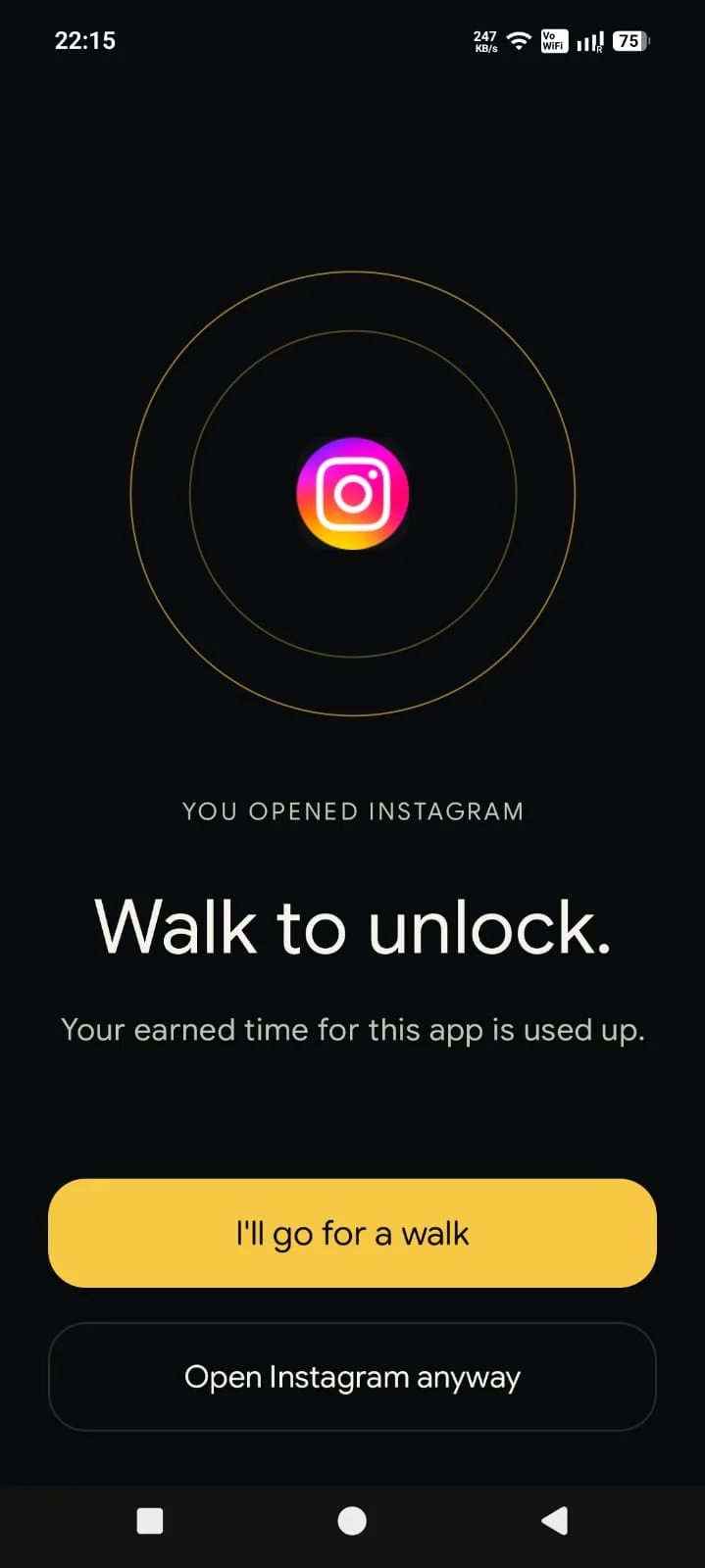
Pause
Out of minutes? Take a little walk.
Your chosen apps pause when earned time runs out. More steps earn more time.
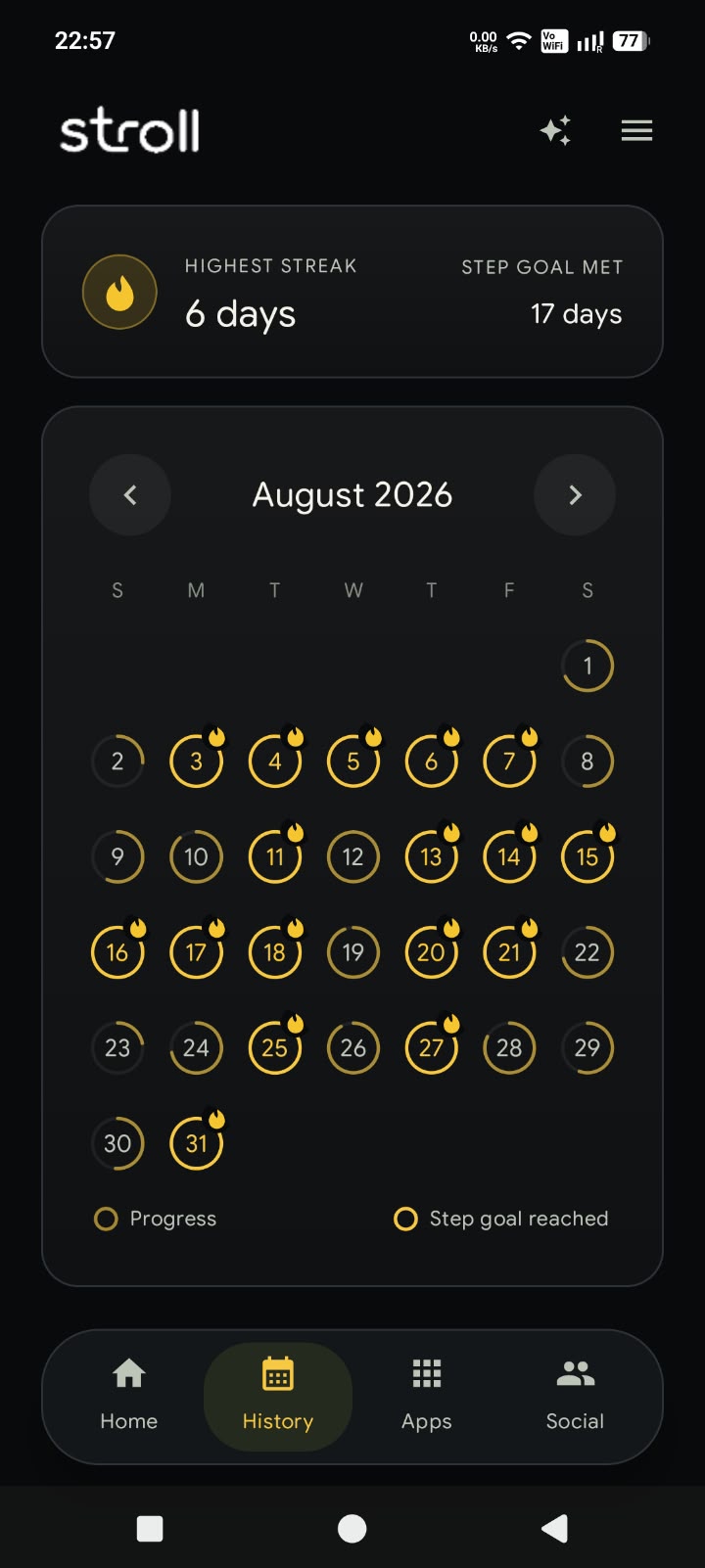
History
Look back at your progress.
See your steps and screen-time history over time.
Press
Also featured in





Make your next scroll start with a walk.
Get Stroll, choose your apps and set your earn rate. Join the leaderboard when you want a little friendly competition.
Free on Android and iPhone.